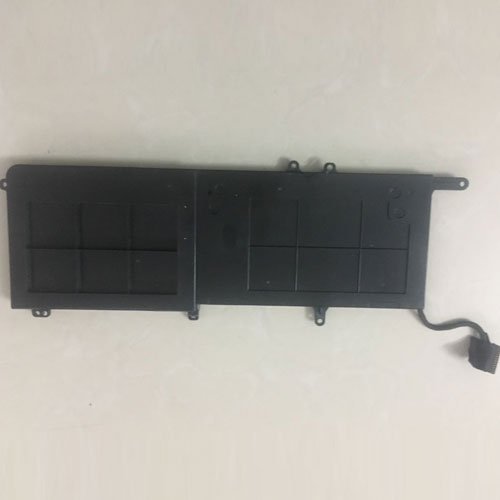
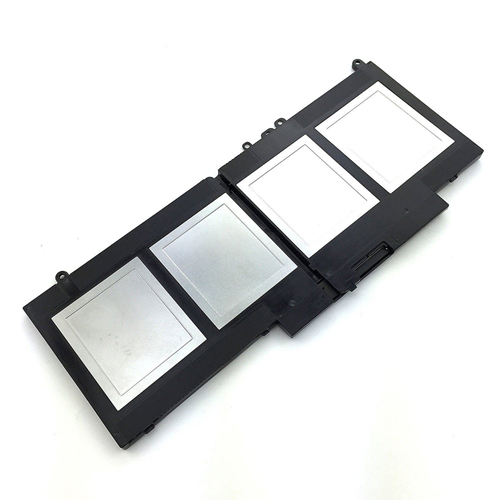
Nuevos Productos Batería Para Dell 312-1163

Batería para dell 312-1163 is replacement for dell Latitude e6220 e6320 e6420 e6520 series. The 312-1163 batteries equivalent is guaranteed to meet or exceed 312-1163 batteries original specifications. All dell 312-1163 are brand new,1 year Warranty, 100% Guarantee Quality and Fully Test!

http://www.tienda-baterias.es/bateria/dell/312-1163-2428.html
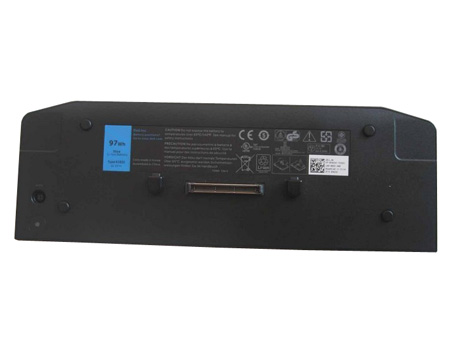
 

  • Marca:dell
  • modelo:312-1163
  • Tipo:Li-ion
  • Número de inventario:DEL2428
  • Dimensión:
  • Color:black

Si tiene usted cualquier duda, haga el favor de ponerse en contacto con nosotros,Email:info@tienda-baterias.es


Modelos similares :

312-1163,312-1242,HCJWT,M5Y0X,NHXVW,PRRRF,T54F3,T54FJ,X57F1

Modelos compatibles:

DELL Latitude E5420 Series(All)
DELL Latitude E5520 Series(All)
DELL Latitude E6120 Series(All)
DELL Latitude E6220 Series(All)
DELL Latitude E6320 Series(All)
DELL Latitude E6420 Series(All)
DELL Latitude E6420 ATG Series(All)
DELL Latitude E6520 Series(All)
XT3 Laptops

Laptop battery dell 312-1163>> Batería para dell 312-1163>> Batteria dell 312-1163>> dell 312-1163 Akku


Batería para dell 312-1163 tips:

1.La atención leyó narrar el libro de la batería,usar batería recomendada.
2.El nuevo paquete de batería del portátil debe estar completamente cargado antes de su uso.
3.Nuevo Batería para dell 312-1163 Necesidad de cargar y descargar completamente (ciclo) varias veces para alcanzar la capacidad máxima.
4.La batería recargable se descarga solo cuando esté inactiva. Guarde siempre una batería dell 312-1163 en una etapa completamente cargada para el almacenamiento.
5.Descargue completamente y cargue completamente su paquete de batería cada pocos meses.
6.Li-ion and NiMH battery can not interchangeable.
7.Baje el brillo de la pantalla LCD de su dispositivo portátil.
8.Use la administración de energía incorporada en su dispositivo portátil.
9.Apague la pantalla LCD u otros accesorios innecesarios cuando no esté en uso.
10.Establezca el protector de pantalla en blanco a 1 o 2 minutos de su dell 312-1163 cuaderno .
11.Es normal calentarse durante la carga o el uso normal. Si hace demasiado calor, puede haber un problema con el dispositivo y el personal calificado debe verificarlo.
12.312-1163 Batería de la computadora portátil Toshiba debe almacenarse en un lugar fresco y seco.
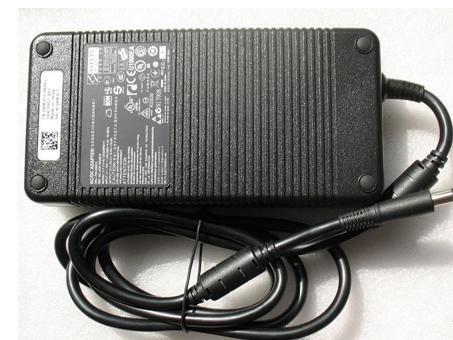

Alta calidad Adaptador para Dell 0XM3C3 XM3C3

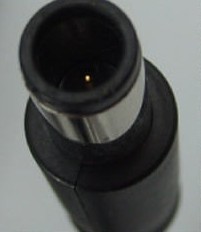
Adaptador para Dell 0XM3C3 is replacement for Dell 330W Charge Alienware X51,X51 R2,5X3NX,332-1432 Gaming Desktop. The 0XM3C3 batteriesequivalent is guaranteed to meet or exceed 0XM3C3 batteries original specifications. All Dell 0XM3C3 are brand new,1 year Warranty, 100% Guarantee Quality and Fully Test!

http://www.tienda-baterias.es/adaptador-y-cargador/dell/0XM3C3-17328.html


  • Marca:Dell
  • modelo:0XM3C3
  • Tipo:GSBAEH
  • Número de inventario:DEL17328
  • Dimensión:
  • Color:black

Si tiene usted cualquier duda, haga el favor de ponerse en contacto con nosotros,Email:info@tienda-baterias.es


Modelos similares :

0XM3C3,XM3C3,DA330PM111,0Y90RR,Y90RR,F0K0N,331-2429,450-17280,ADP-330AB B,5X3NX,F0K0N,332-1432

Modelos compatibles:

Connecter size: 7.4 mm*5.0 mm, with central pin inside
Power LED indicator
Outlet: 3-prong
Cord Cable: US/ UK/ EU/ AU plug
One Power cord is included with this adapter for FREE(fit your country)
Code: GSBAEH
Dell Alienware X51,5X3NX,332-1432,XM3C3 Gaming Desktop

Adaptador para Dell 0XM3C3 >> Dell 0XM3C3 Laptop Adapter>> Dell 0XM3C3 Adattatore per laptop >> Dell 0XM3C3 Laptopadapter


El cable del ordenador nunca estará lejos si emplea un adaptador de CA de 210 vatios Dell 330W Charge Alienware X51,X51 R2,5X3NX,332-1432 Gaming Desktop . Este Dell 0XM3C3 adaptador está especialmente diseñado para cumplir con las necesidades de potencia de su sistema Dell 330W Charge Alienware X51,X51 R2,5X3NX,332-1432 Gaming Desktop . Este adaptador le permitirá trabajar con su sistema o cargar la batería en tomas de corriente. este adaptador ligero y fácil de llevar constituye un fuente sistema de potencia allí donde esté, en la oficina, en casa o de viaje.


Alta calidad Batería para Dell 21CP5/63/10

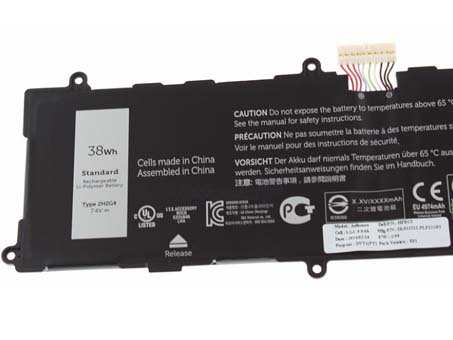
Batería para Dell 21CP5/63/10 is replacement for 2H2G4. The 21CP5/63/10 batteries equivalent is guaranteed to meet or exceed 21CP5/63/10 batteriesoriginal specifications. All Dell 21CP5/63/10 are brand new,1 year Warranty, 100% Guarantee Quality and Fully Test!

http://www.tienda-baterias.es/bateria/dell/21CP5/63/10-178313.html


  • Marca:Dell
  • modelo:21CP5/63/10
  • Tipo:li-ion
  • Número de inventario:DE3955
  • Dimensión:
  • Color:black

Si tiene usted cualquier duda, haga el favor de ponerse en contacto con nosotros,Email:info@tienda-baterias.es


Modelos similares :

2H2G4 21CP5/63/105

Modelos compatibles:

DELL 2H2G4

Laptop battery Dell 21CP5/63/10>> Batería para Dell 21CP5/63/10>> Batteria Dell 21CP5/63/10>> Dell 21CP5/63/10 Akku


Batería para Dell 21CP5/63/10 tips:

1.Carefulness read narrate book of battery,use commendatory battery.
2.New laptop battery pack must be fully charged before use.
3.New Batería para Dell 21CP5/63/10 needs to be fully charged and discharged (cycled) a few times before it can condition to full capacity.
4.Rechargeable batteries undergo self-discharging when left unused. Always store a Dell 21CP5/63/10 battery pack in a fully charged stage for storage.
5.Fully drain and fully recharge your battery pack every few month.
6.Li-ion and NiMH battery can not interchangeable.
7.Turn down the LCD brightness of your portable device.
8.Use built-in power management on your portable device.
9.Turn off LCD or other unnecessary accessories when not in use.
10.Set screen saver blank to 1 to 2 minutes of your Dell 21CP5/63/10 cuaderno .
11.It is normal to get warm when charging or normal use. If it is getting too hot, there may be a problem with the device and qualified personnel should check it.
12.Research the electric appliance and the Dell 21CP5/63/10 Baterías contact elements is whether clean, when necessity is clean with the wet cloth mop, after dry loads according to the correct polar direction.
13.21CP5/63/10 Batería de la computadora portátil Toshiba should stock in cool place, and dry.


Alta calidad Batería para Dell K81RP

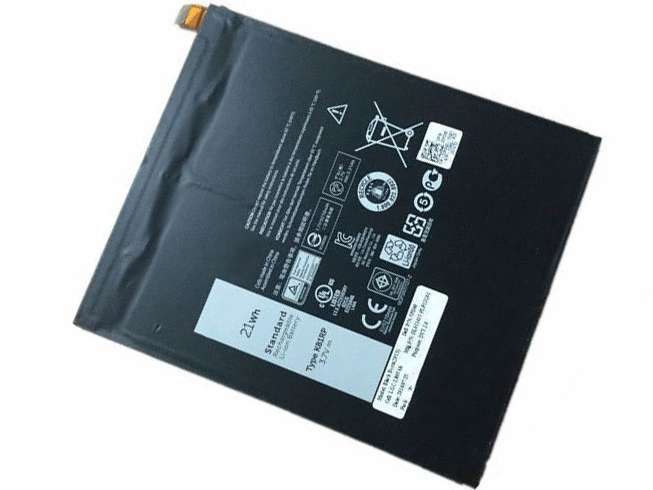
Batería para Dell K81RP is replacement for Dell Venue 8 7840 WIFI 16GB venue 8 7000(7840) 5PD40. The K81RP batteries equivalent is guaranteed to meet or exceed K81RP batteries original specifications. All Dell K81RP are brand new,1 year Warranty, 100% Guarantee Quality and Fully Test!

http://www.tienda-baterias.es/bateria/dell/K81RP-179290.html


  • Marca:Dell
  • modelo:K81RP
  • Tipo:Li-ion
  • Número de inventario:ECN10325_Ta
  • Dimensión:
  • Color:Black

Si tiene usted cualquier duda, haga el favor de ponerse en contacto con nosotros,Email:info@tienda-baterias.es


Modelos similares :

K81RP 05PD40 V87840-16D DL011413-PLP12G01

Modelos compatibles:

Dell Venue 8 7840 WIFI 16GB venue 8 7000(7840)

Laptop battery Dell K81RP>> Batería para Dell K81RP>> Batteria Dell K81RP>> Dell K81RP Akku


Batería para Dell K81RP tips:

1.Carefulness read narrate book of battery,use commendatory battery.
2.New laptop battery pack must be fully charged before use.
3.New Batería para Dell K81RP needs to be fully charged and discharged (cycled) a few times before it can condition to full capacity.
4.Rechargeable batteries undergo self-discharging when left unused. Always store a Dell K81RP battery pack in a fully charged stage for storage.
5.Fully drain and fully recharge your battery pack every few month.
6.Li-ion and NiMH battery can not interchangeable.
7.Turn down the LCD brightness of your portable device.
8.Use built-in power management on your portable device.
9.Turn off LCD or other unnecessary accessories when not in use.
10.Set screen saver blank to 1 to 2 minutes of your Dell K81RP cuaderno .
11.It is normal to get warm when charging or normal use. If it is getting too hot, there may be a problem with the device and qualified personnel should check it.
12.Research the electric appliance and the Dell K81RP Baterías contact elements is whether clean, when necessity is clean with the wet cloth mop, after dry loads according to the correct polar direction.
13.K81RP Batería de la computadora portátil Toshiba should stock in cool place, and dry.


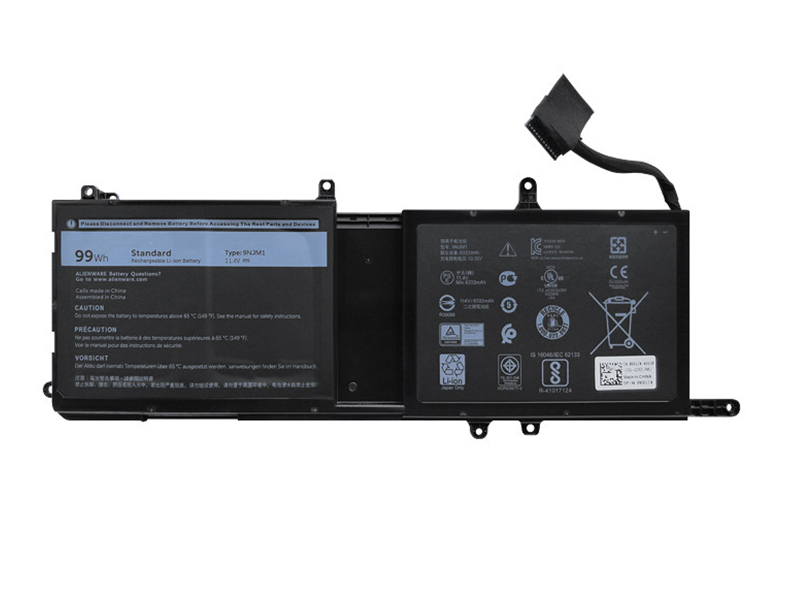
Reemplazo de la Batería Dell 9NJM1

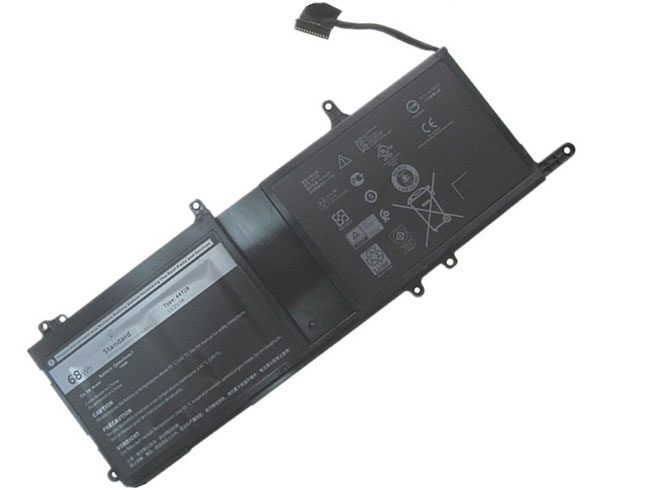
Batería para Dell 9NJM1 is replacement for Dell Alienware 17 R4 ALW17C-D1748 ALW17C-D1758. The 9NJM1 batteries equivalent is guaranteed to meet or exceed 9NJM1 batteries original specifications. All Dell 9NJM1 are brand new,1 year Warranty, 100% Guarantee Quality and Fully Test!

http://www.tienda-baterias.es/bateria/dell/9NJM1-179319.html


  • Marca:Dell
  • modelo:9NJM1
  • Tipo:Li-ion
  • Número de inventario:DEL3022
  • Dimensión:
  • Color:Black

Si tiene usted cualquier duda, haga el favor de ponerse en contacto con nosotros,Email:info@tienda-baterias.es


Modelos similares :

0546FF 0HF250 44T2R 9NJM1 HF250 MG2YH

Modelos compatibles:

DELL Alienware 15 R3
DELL Alienware 17 R4
DELL ALW17C-D1738
DELL ALW17C-D1748
DELL ALW17C-D1758
DELL ALW17C-D1848
DELL ALW17C-D2738
DELL ALW17C-D2748
DELL ALW17C-D2758
DELL ALW17C-R1748

Laptop battery Dell 9NJM1>> Batería para Dell 9NJM1>> Batteria Dell 9NJM1>> Dell 9NJM1 Akku


Batería para Dell 9NJM1 tips:

1.Carefulness read narrate book of battery,use commendatory battery.
2.New laptop battery pack must be fully charged before use.
3.New Batería para Dell 9NJM1 needs to be fully charged and discharged (cycled) a few times before it can condition to full capacity.
4.Rechargeable batteries undergo self-discharging when left unused. Always store a Dell 9NJM1 battery pack in a fully charged stage for storage.
5.Fully drain and fully recharge your battery pack every few month.
6.Li-ion and NiMH battery can not interchangeable.
7.Turn down the LCD brightness of your portable device.
8.Use built-in power management on your portable device.
9.Turn off LCD or other unnecessary accessories when not in use.
10.Set screen saver blank to 1 to 2 minutes of your Dell 9NJM1 cuaderno .
11.It is normal to get warm when charging or normal use. If it is getting too hot, there may be a problem with the device and qualified personnel should check it.
12.Research the electric appliance and the Dell 9NJM1 Baterías contact elements is whether clean, when necessity is clean with the wet cloth mop, after dry loads according to the correct polar direction.
13.9NJM1 Batería de la computadora portátil Toshiba should stock in cool place, and dry.


Reemplazo de la Batería Dell 9NJM1

Batería para Dell 9NJM1 is replacement for Dell Alienware 17 R4 ALW17C-D2738 D1738 D2748 D2758 R1748. The 9NJM1 batteries equivalent is guaranteed to meet or exceed 9NJM1 batteries original specifications. All Dell 9NJM1 are brand new,1 year Warranty, 100% Guarantee Quality and Fully Test!

http://www.tienda-baterias.es/bateria/dell/9NJM1-179320.html


  • Marca:Dell
  • modelo:9NJM1
  • Tipo:Li-ion
  • Número de inventario:DEL3023
  • Dimensión:
  • Color:Black

Si tiene usted cualquier duda, haga el favor de ponerse en contacto con nosotros,Email:info@tienda-baterias.es


Modelos similares :

0546FF 0HF250 44T2R 9NJM1 HF250 MG2YH

Modelos compatibles:

Dell Alienware 15 R3
Dell Alienware 17 R4
Dell ALW17C-D1738
Dell ALW17C-D1748
Dell ALW17C-D1758
Dell ALW17C-D1848
Dell ALW17C-D2738
Dell ALW17C-D2748
Dell ALW17C-D2758
Dell ALW17C-R1748

Laptop battery Dell 9NJM1>> Batería para Dell 9NJM1>> Batteria Dell 9NJM1>> Dell 9NJM1 Akku


Batería para Dell 9NJM1 tips:

1.Carefulness read narrate book of battery,use commendatory battery.
2.New laptop battery pack must be fully charged before use.
3.New Batería para Dell 9NJM1 needs to be fully charged and discharged (cycled) a few times before it can condition to full capacity.
4.Rechargeable batteries undergo self-discharging when left unused. Always store a Dell 9NJM1 battery pack in a fully charged stage for storage.
5.Fully drain and fully recharge your battery pack every few month.
6.Li-ion and NiMH battery can not interchangeable.
7.Turn down the LCD brightness of your portable device.
8.Use built-in power management on your portable device.
9.Turn off LCD or other unnecessary accessories when not in use.
10.Set screen saver blank to 1 to 2 minutes of your Dell 9NJM1 cuaderno .
11.It is normal to get warm when charging or normal use. If it is getting too hot, there may be a problem with the device and qualified personnel should check it.
12.Research the electric appliance and the Dell 9NJM1 Baterías contact elements is whether clean, when necessity is clean with the wet cloth mop, after dry loads according to the correct polar direction.
13.9NJM1 Batería de la computadora portátil Toshiba should stock in cool place, and dry.


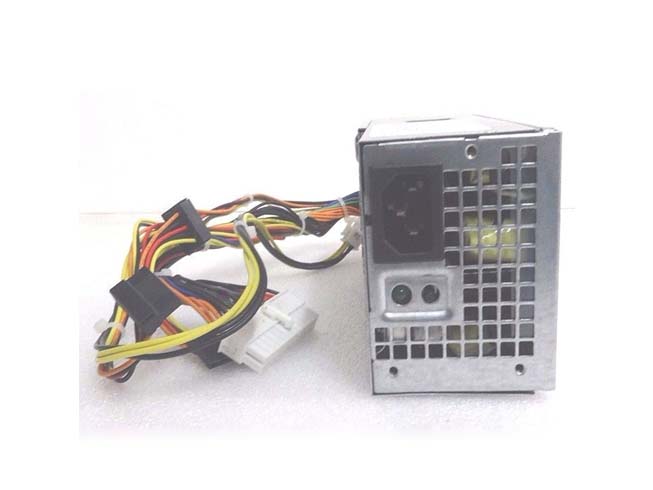
Alta calidad Adaptador para Dell D250ED-00

Adaptador para Dell D250ED-00 is replacement for Dell Optiplex 390 790 990 Desktop 250W. The D250ED-00 batteries equivalent is guaranteed to meet or exceed D250ED-00 batteries original specifications. All Dell D250ED-00 are brand new,1 year Warranty, 100% Guarantee Quality and Fully Test!

http://www.tienda-baterias.es/adaptador-y-cargador/dell/D250ED-00-179057.html


  • Marca:Dell
  • modelo:D250ED-00
  • Tipo:GSB131
  • Número de inventario:DEL17259_Se_1
  • Dimensión:
  • Color:

Si tiene usted cualquier duda, haga el favor de ponerse en contacto con nosotros,Email:info@tienda-baterias.es


Modelos similares :

7GC81 6MVJH YJ1JT 76VCK FY9H3 HY6D2 0HY6D2 D250ED-00

Modelos compatibles:

Dell Optiplex 390 790 990 Desktop 250W Power Supply
Dell desktop machines (390, 790, 3010)
DELL F250AD-00
Dell D250AD-00 Optiplex 790

Adaptador para Dell D250ED-00 >> Dell D250ED-00 Laptop Adapter>> Dell D250ED-00 Adattatore per laptop >> Dell D250ED-00 Laptopadapter


El cable del ordenador nunca estará lejos si emplea un adaptador de CA de 210 vatios Dell Optiplex 390 790 990 Desktop 250W . Este Dell D250ED-00 adaptador está especialmente diseñado para cumplir con las necesidades de potencia de su sistema Dell Optiplex 390 790 990 Desktop 250W . Este adaptador le permitirá trabajar con su sistema o cargar la batería en tomas de corriente. este adaptador ligero y fácil de llevar constituye un fuente sistema de potencia allí donde esté, en la oficina, en casa o de viaje.


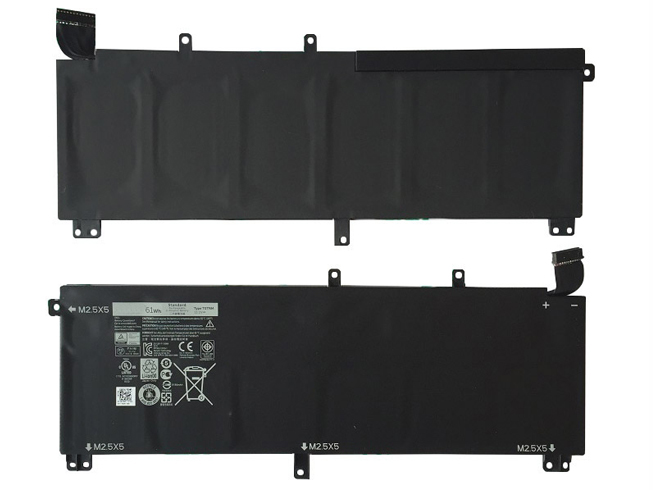
Alta calidad Batería para Dell H76MV T0TRM

Batería para Dell H76MV 1 año de garantía, 30 días de devolución de dinero, 100% nuevo. 30% de descuento en todos los productos! Garantía: ¡12 meses! Protección contra cortocircuitos Cumple con el medioambiente según los estándares europeos de RoHS. Todos nuestros productos están certificados con Certificado CE Certificado de aprobación CE – Seguridad aprobada.

http://www.tienda-baterias.es/bateria/dell/H76MV-178553.html


  • Marca:Dell
  • modelo:H76MV
  • Tipo:Li-ion
  • Número de inventario:DEL2853
  • Dimensión:
  • Color:Black

Si tiene usted cualquier duda, haga el favor de ponerse en contacto con nosotros,Email:info@tienda-baterias.es


Modelos similares :

T0TRM 245RR 0H76MY H76MV 07D1WJ 7D1WJ Y758W

Modelos compatibles:

Dell Models:
XPS 15 9530
Precision M3800

Laptop battery Dell H76MV>> Batería para Dell H76MV>> Batteria Dell H76MV>> Dell H76MV Akku


Batería para Dell H76MV tips:

1.Carefulness read narrate book of battery,use commendatory battery.
2.New laptop battery pack must be fully charged before use.
3.New Batería para Dell H76MV needs to be fully charged and discharged (cycled) a few times before it can condition to full capacity.
4.Rechargeable batteries undergo self-discharging when left unused. Always store a Dell H76MV battery pack in a fully charged stage for storage.
5.Fully drain and fully recharge your battery pack every few month.
6.Li-ion and NiMH battery can not interchangeable.
7.Turn down the LCD brightness of your portable device.
8.Use built-in power management on your portable device.
9.Turn off LCD or other unnecessary accessories when not in use.
10.Set screen saver blank to 1 to 2 minutes of your Dell H76MV cuaderno .
11.It is normal to get warm when charging or normal use. If it is getting too hot, there may be a problem with the device and qualified personnel should check it.
12.Research the electric appliance and the Dell H76MV Baterías contact elements is whether clean, when necessity is clean with the wet cloth mop, after dry loads according to the correct polar direction.
13.H76MV Batería de la computadora portátil Toshiba should stock in cool place, and dry.


Nuevos Productos Batería Para Dell 6MT4T

Batería para Dell 6MT4T 1 año de garantía, 30 días de devolución de dinero, 100% nuevo. 30% de descuento en todos los productos! Garantía: ¡12 meses! Protección contra cortocircuitos Cumple con el medioambiente según los estándares europeos de RoHS. Todos nuestros productos están certificados con Certificado CE Certificado de aprobación CE – Seguridad aprobada.

http://www.tienda-baterias.es/bateria/dell/6MT4T-179162.html


  • Marca:Dell
  • modelo:6MT4T
  • Tipo:Li-ion
  • Número de inventario:DEL2776
  • Dimensión:
  • Color:Black

Si tiene usted cualquier duda, haga el favor de ponerse en contacto con nosotros,Email:info@tienda-baterias.es


Modelos similares :

G5M10 8V5GX 6MT4T 7V69V

Modelos compatibles:

Dell
Latitude 3150
Latitude 3160
Latitude E5250
Latitude E5450
Latitude E5550

Laptop battery Dell 6MT4T>> Batería para Dell 6MT4T>> Batteria Dell 6MT4T>> Dell 6MT4T Akku


Batería para Dell 6MT4T tips:

1.Carefulness read narrate book of battery,use commendatory battery.
2.New laptop battery pack must be fully charged before use.
3.New Batería para Dell 6MT4T needs to be fully charged and discharged (cycled) a few times before it can condition to full capacity.
4.Rechargeable batteries undergo self-discharging when left unused. Always store a Dell 6MT4T battery pack in a fully charged stage for storage.
5.Fully drain and fully recharge your battery pack every few month.
6.Li-ion and NiMH battery can not interchangeable.
7.Turn down the LCD brightness of your portable device.
8.Use built-in power management on your portable device.
9.Turn off LCD or other unnecessary accessories when not in use.
10.Set screen saver blank to 1 to 2 minutes of your Dell 6MT4T cuaderno .
11.It is normal to get warm when charging or normal use. If it is getting too hot, there may be a problem with the device and qualified personnel should check it.
12.Research the electric appliance and the Dell 6MT4T Baterías contact elements is whether clean, when necessity is clean with the wet cloth mop, after dry loads according to the correct polar direction.
13.6MT4T Batería de la computadora portátil Toshiba should stock in cool place, and dry.


Nuevos Productos Adaptador Para DELL GX620DT

Adaptador para DELL GX620DT 1 año de garantía, 30 días de devolución de dinero, 100% nuevo. 30% de descuento en todos los productos! Garantía: ¡12 meses! Protección contra cortocircuitos Cumple con el medioambiente según los estándares europeos de RoHS. Todos nuestros productos están certificados con Certificado CE Certificado de aprobación CE – Seguridad aprobada.

http://www.tienda-baterias.es/adaptador-y-cargador/dell/GX620DT-17295.html


  • Marca:DELL
  • modelo:GX620DT
  • Tipo:GSBACB
  • Número de inventario:DEL17295_Se
  • Dimensión:
  • Color:black

Si tiene usted cualquier duda, haga el favor de ponerse en contacto con nosotros,Email:info@tienda-baterias.es


Modelos similares :

Power?280w
DC Connector: 3.0*1.1/9mm (Barrel, Center +)
MODEL:ADP-40TH A
Replace Dell 280w Power Supply PSU For Desktop Systems Optiplex 210L, 320, 330, 360, 740, 745, 755 GX520, GX620 r Dimension C521 and 3100C Optiplex New Style GX280
Dell OptiPlex GX520DT
GX620DT 745DT GX320DT GX330DT?755DT 210LDT
Dell Dimension 3100C C521
F5114, MH596, MH595, RT490, NH429, P9550, U9087, X9072

Modelos compatibles:

AA24100L, D280P-00, H280P-00, L280P-00
24PIN * 1,
Fang 4PIN * 1,
SATA * 2,
IDE * 1,
small 4PIN * 1

Adaptador para DELL GX620DT >> DELL GX620DT Laptop Adapter>> DELL GX620DT Adattatore per laptop >> DELL GX620DT Laptopadapter


El cable del ordenador nunca estará lejos si emplea un adaptador de CA de 210 vatios Dell DESKTOP 280W POWER SUPPLY H280P-01 NH429 . Este DELL GX620DT adaptador está especialmente diseñado para cumplir con las necesidades de potencia de su sistema Dell DESKTOP 280W POWER SUPPLY H280P-01 NH429 . Este adaptador le permitirá trabajar con su sistema o cargar la batería en tomas de corriente. este adaptador ligero y fácil de llevar constituye un fuente sistema de potencia allí donde esté, en la oficina, en casa o de viaje.