What’s the Difference Between TCP and UDP?

You’ve probably seen references to TCP and UDP when setting up port-forwarding on a router or when configuring firewall software. These two protocols are used for different types of data.

TCP/IP is a suite of protocols used by devices to communicate over the Internet and most local networks. It is named after two of it’s original protocols—the Transmission Control Protocol (TCP) and the Internet Protocol (IP). TCP provides apps a way to deliver (and receive) an ordered and error-checked stream of information packets over the network. The User Datagram Protocol (UDP) is used by apps to deliver a faster stream of information by doing away with error-checking. When configuring some network hardware or software, you may need to know the difference.

What They Have In Common

Both TCP and UDP are protocols used for sending bits of data—known as packets—over the Internet. Both protocols build on top of the IP protocol. In other words, whether you’re sending a packet via TCP or UDP, that packet is sent to an IP address. These packets are treated similarly, as they’re forwarded from your computer to intermediary routers and on to the destination.

TCP and UDP aren’t the only protocols that work on top of IP. However, they are the most widely used.

How TCP Works

TCP is the most commonly used protocol on the Internet.

When you request a web page in your browser, your computer sends TCP packets to the web server’s address, asking it to send the web page back to you. The web server responds by sending a stream of TCP packets, which your web browser stitches together to form the web page. When you click a link, sign in, post a comment, or do anything else, your web browser sends TCP packets to the server and the server sends TCP packets back.

TCP is all about reliability—packets sent with TCP are tracked so no data is lost or corrupted in transit. This is why file downloads don’t become corrupted even if there are network hiccups. Of course, if the recipient is completely offline, your computer will give up and you’ll see an error message saying it can’t communicate with the remote host.

TCP achieves this in two ways. First, it orders packets by numbering them. Second, it error-checks by having the recipient send a response back to the sender saying that it has received the message. If the sender doesn’t get a correct response, it can resend the packets to ensure the recipient receives them correctly.

How UDP Works

The UDP protocol works similarly to TCP, but it throws out all the error-checking stuff. All the back-and-forth communication introduce latency, slowing things down.

When an app uses UDP, packets are just sent to the recipient. The sender doesn’t wait to make sure the recipient received the packet—it just continues sending the next packets. If the recipient misses a few UDP packets here and there, they are just lost—the sender won’t resend them. Losing all this overhead means the devices can communicate more quickly.

UDP is used when speed is desirable and error correction isn’t necessary. For example, UDP is frequently used for live broadcasts and online games.

For example, let’s say you’re watching a live video stream, which are often broadcast using UDP instead of TCP. The server just sends a constant stream of UDP packets to computers watching. If you lose your connection for a few seconds, the video may freeze or get jumpy for a moment and then skip to the current bit of the broadcast. If you experience minor packet-loss, the video or audio may be distorted for a moment as the video continues to play without the missing data.

This works similarly in online games. If you miss some UDP packets, player characters may appear to teleport across the map as you receive the newer UDP packets. There’s no point in requesting the old packets if you missed them, as the game is continuing without you. All that matters is what’s happening right now on the game server—not what happened a few seconds ago. Ditching TCP’s error correction helps speed up the game connection and reduce latency.

So What?

Whether an application uses TCP or UDP is up to its developer, and the choice depends on what an application needs. Most apps need the error-correction and robustness of TCP, but some applications need the speed and reduced overhead of UDP.

Unless you’re a network administrator or software developer, this shouldn’t doesn’t affect you too much. If you’re configuring your router or firewall software and you’re not sure whether an application uses TCP or UDP, you can generally select the “Both” option to have your router or firewall apply the same rule to both TCP and UDP traffic.
How Does Wireless Charging Work?

Wireless charging is set to become more popular with the adoption of Qi wireless charging in Apple’s iPhone 8, iPhone 8 Plus, and iPhone X. It’s also found on some Android phones, like Samsung’s Galaxy Note 8, Galaxy S8, and Galaxy S7.

Most wireless chargers use magnetic induction and magnetic resonance. They offer the promise of being able to place a device on a surface and have it charge automatically—no fiddling with cables required.

How Wireless Charging Works

Wireless charging isn’t truly wireless, of course. Your phone, smart watch, tablet, wireless headphones, or other device doesn’t need to be plugged into the charger with a wire, but the wireless charger itself still has to be plugged into a wall outlet to function. When the iPhone 5 was released without the wireless charging feature found in competing Android and Windows phones at the time, Apple’s Phil Schiller argued that “having to create another device you have to plug into the wall is actually, for most situations, more complicated”.

Five years later, Apple has changed its mind. With the iPhone 8, iPhone 8 Plus, and iPhone X, Apple is including support for wireless charging using the Qi open standard. (It’s pronounced “chee” as it’s a Chinese word that refers to the “life energy” in living things.)

Wireless chargers typically use magnetic induction. The short explanation is that they use magnetism to transmit energy. First, you place the device–like a smartphone—on the wireless charger. The current coming from the wall power outlet moves through the wire in the wireless charger, creating a magnetic field. The magnetic field creates a current in the coil inside the device sitting on the wireless charger. This magnetic energy is converted to electrical energy, which is used to charge the battery. Devices must have the appropriate hardware in them to support wireless charging—a device without the necessary coil can’t charge wirelessly.

While the Qi standard was originally limited to magnetic induction, it now also supports magnetic resonance. This works similarly, but the device can be up to 45mm away from the wireless charger’s surface rather than touching it directly. This is less efficient than magnetic induction, but there are some advantages—for example, a wireless charger could be mounted under a table’s surface and you could place a device on the table to charge it. It also allows you to place multiple devices on a single charging pad, and have all of them charge at once.

When not actively charging, the Qi charger doesn’t consume the maximum amount of power. Instead, it uses a smaller amount of power and, when it detects a device is placed on the charger, it increases the energy output.

Competing Standards: Qi vs. Powermat vs. Rezence

Wireless charging is becoming more and more common, and even more standardized. And for once, Apple didn’t create its own wireless standard. Instead, it chose to support the existing Qi standard, which many other devices also support.

However, Qi isn’t the only standard around. The Qi standard, which is owned by the Wireless Power Consortium, is ahead, but it’s not alone. In second place is the Power Matters Alliance’s Powermat, or PMA, standard. It uses magnetic induction, like Qi. The two are incompatible, though. An iPhone can’t charge with a PMA wireless charger.

Some devices are compatible with both, however. Modern Samsung devices like the Galaxy Note 8, Galaxy S8, and Galaxy S7 actually support both the Qi and PMA standards, and can charge with either. Starbucks bet on PMA, but they may rethink things now that the iPhone only supports Qi. Apple is betting that airports, hotels, and other public locations will also choose to bet on Qi.

The Alliance for Wireless Power (A4WP)’s Rezence uses magnetic resonance instead, a feature Qi added later. This allows for greater freedom of positioning. You can have multiple devices on a single charger, move devices around, and even charge devices through an object like a book between the device and the charger. Rezence requires Bluetooth to communicate with the device.

As the second and third place companies here, the Power Matters Alliance and Alliance for Wireless Power have since rebranded themselves the AirFuel Alliance and are cooperating in an attempt to take on Qi.

How You Can Use Wireless Charging Today

All the technology aside, getting started with wireless charging is pretty simple. If you want to charge your smartphone wirelessly, you’ll need a smartphone that supports wireless charging and a compatible wireless charging mat to place your phone on. You can also purchase adapters to add wireless charging support to phones that don’t include it.

Popular smartphones that support wireless charging include:

  • l Apple iPhone 8, iPhone 8 Plus, and iPhone X
  • l Samsung Galaxy Note 8 and Galaxy Note 5
  • l Samsung Galaxy S8, S8+, S8 Active, S7, S7 Edge, S7 Active
  • l LG G6 (US and Canada versions only) and LG V30
  • l Motorola Moto Z, Moto Z Play, Moto Z2 Force, Moto Z2 Play (with wireless charging mod only)

Android manufacturers have increasingly been abandoning wireless charging in recent years. Only Samsung has kept it on its recent high-end phones. For example, Google does not offer wireless charging in its Pixel smartphone, although earlier Nexus phones included this feature. With Apple giving the Qi standard a vote of confidence, wireless charging could become more common on Android devices once again.

If your phone doesn’t support wireless charging, you can add support for wireless charging with a special phone case or wireless charging adapter that you stick on the back of your phone and plug into its power port.

Once you have a phone or adapter that supports wireless charging, pick up a wireless charger that’s compatible with it. For most phones, you’ll want a Qi charger. Any Qi certified wireless charger should work with any Qi certified device. You can find them online on websites like Amazon.com or in electronics stores. Plug the charging pad into the wall and place your phone (or other Qi-enabled device) on it to charge. As long as your device and the charger support the same standard, it will just work.

In the future, wireless chargers will hopefully be more common in public locations, allowing you to just place your smartphone on a table to charge it.


Why Does Your Device Have Less Battery Life Than Advertised?

You have seen the claims that a laptop or tablet will run six, eight and even more than twelve hours on a single charge. These sound like spectacular feats that would actually allow one to use a device for an entire transoceanic flight. The problem is that most of these devices would not be able to run for that long. How can manufacturers make such claims about their laptops or tablets even though users are unable to achieve such results?

Battery Capacity and Power Consumption

There are two things that will be the basis for determining how long a laptop or tablet should run on batteries. Of course, the overall capacity of the battery is the easiest to determine and understand. All batteries can store a fixed amount of energy in them. This is generally listed as either mAh (milliamp hours) or Whr (watt hours). The higher the number that a battery is rated at, the more energy that is stored in the battery.

Why is the battery capacity important? If two devices that use the same amount of power, the one with a higher mAh or Whr rated battery will last longer. This makes comparison easy for the batteries themselves. The problem is that no two configurations will draw the same amount of power.

The power consumption of a laptop or tablet depends upon all of the components inside of it. So, a system with a processor that consumes less power will generally last longer if all parts are equal but they almost never are.

It gets even more complicated because the power consumption can also vary depending upon how the device is being used. Certain tasks on devices tend to use up more power. For instance, a brighter screen or a more intensive application will often cause the device to pull more power from the battery thus shortening the running time.

It used to be that the size of the device could easily let you know how much power and how long of a running time it might produce. This has changed as the processing capabilities of today’s processors has gotten much more powerful than the applications most people use them for. More and more companies are moving to more energy efficient processors that provide enough performance for our applications while also providing longer running times.

Manufacturer Claims

Now that the basics are out of the way, how can a manufacturer come up with a claim of something like ten hours of running time for a laptop yet a user in real world use may get only half as much time? It all has to do with how the manufacturers conduct their battery life tests. The most common of these is a function of the MobileMark for laptops and TabletMark for tablets benchmarking suites from BapCo. They simulate computer usage through application use and web browsing to best approximate how people use their laptop or tablet.

Now, in theory, this is a good plan to trying and simulate general usage. The problem is that no person uses their device in the same manner and the test results they provide generally don’t match to real world usage.

The test generally has the CPU idle during much of the test on the basis that many people are either idle or their applications are awaiting user input. It also does not set various power settings within the OS and device. Manufacturers often use various tricks such as decreasing the display brightness to the lowest levels and turning all of the battery saving features to their maximum so they can get the highest run times possible even if it means less than desirable real world use for consumers.

If you happen to use your laptop or tablet to just browse the web and check email, the results may match up very well with manufacturer claims.

The problem is that most of us are not using it the same way the tests are designed for. For instance, we often have the brightness much higher than the minimum. This is especially true for mobile devices used outdoors where they have to be set near maximum just to be visible. Also, many people use their devices for playing games or watching media which produces a more consistent and higher power draw than the benchmark tests.

How To Test for Battery Life

Do not use any benchmarking application when testing for battery life or the various tricks that the manufacturers may use to get their various numbers for advertising. Instead, use a video playback test on all laptops and tablets using the default power profiles and software settings that they ship with. This video playback is then looped and timed until the device goes into an automatic shutdown for low battery by the operating system.

For instance, on long airplane flights, many people use their devices as media players to keep themselves entertained. Many people also tend to binge watch the streaming video through services like Netflix. The best part though is that this is a test that can be done on any device, laptop or tablet making for a good test between different operating systems like Mac OS X or Windows as well as Android or iOS.

What Consumers Should Do With Battery Life Numbers

Any consumer who is presented by a battery life number while researching a product needs to be wary. Some manufacturers are better than others at disclosing how they achieve their results. For instance, they may say that they used the MobileMark testing suite with the brightness set to something like 150 nits (often less than 50 percent brightness levels). Such a claim will often let you know that the time might be inflated compared to another than states it achieved their results in a video playback loop at 75% brightness levels. If there is no disclaimer on how the running time was achieved, assume that they used the automated testing suites with the most advantageous power settings on the device.

Once you have determined how the running time estimates for the laptop or tablet have been generating, you can estimate the approximate running time you may get based upon how you will use the device. There are generally three classes of users that people fall into:

  • Light users primarily use their devices for browsing the web and office software. Light Usage: Claimed Time x .85
  • Medium users tend to use their devices for streaming video for long stretches of time. Medium Usage: Claimed Time x .75
  • Heavy users are ones that like to play games or do tasks like desktop video editing. Heavy Usage: Claimed Time x .50

These formulas are just an estimate and one based upon the most advantageous and generous times for a manufacturer. If for instance the estimate is based on a video playback look, a light user might actually see longer running times while a medium user may have equal and the heavy user still sees less.


Nuevos Productos Batería Para NEC PC-VP-BP90

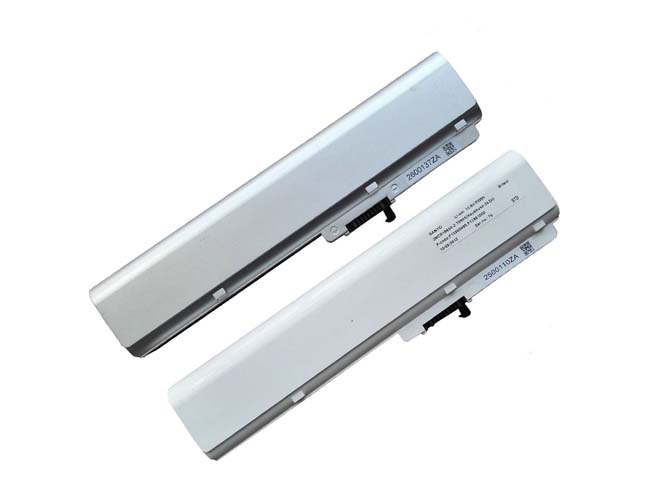
Batería para NEC PC-VP-BP90 is replacement for Nec PC-VP-BP90 OP-570-77012 series. The PC-VP-BP90 batteries equivalent is guaranteed to meet or exceed PC-VP-BP90 batteries original specifications. All NEC PC-VP-BP90 are brand new,1 year Warranty, 100% Guarantee Quality and Fully Test!

http://www.tienda-baterias.es/bateria/nec/PC-VP-BP90-179052.html


  • Marca:NEC
  • modelo:PC-VP-BP90
  • Tipo:Li-ion
  • Número de inventario:NE30173
  • Dimensión:
  • Color:

Si tiene usted cualquier duda, haga el favor de ponerse en contacto con nosotros,Email:info@tienda-baterias.es


Modelos similares :

PC-VP-BP90 OP-570-77012

Modelos compatibles:

Nec PC-VP-BP90 OP-570-77012 series

Bateria do laptopa NEC PC-VP-BP90>> Batería para NEC PC-VP-BP90>> Batteria NEC PC-VP-BP90>> NEC PC-VP-BP90 Akku


Batería para NEC PC-VP-BP90 tips:

1.Carefulness read narrate book of battery,use commendatory battery.
2.New laptop battery pack must be fully charged before use.
3.New Batería para NEC PC-VP-BP90 needs to be fully charged and discharged (cycled) a few times before it can condition to full capacity.
4.Rechargeable batteries undergo self-discharging when left unused. Always store a NEC PC-VP-BP90 battery pack in a fully charged stage for storage.
5.Fully drain and fully recharge your battery pack every few month.
6.Li-ion and NiMH battery can not interchangeable.


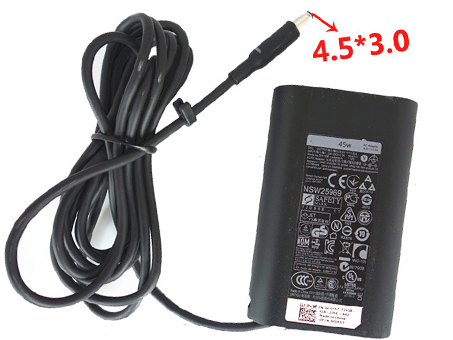
Genuine Original Dell AC Adapter 45W

100 ~ 240V, 50~ 60Hz 19.5V~2.31A , 45 Watt, Dell 45W, adapter 1 year warranty, 30 days money back, 100% new. 30% off all products! Warranty: 12 months! Short circuit protection Meets the environment according to RoHS European Standards. All our products are certified to CE Certificate CE Approval Certificate – Approved Safety. 
Dell 45W adapter

DELL 45W 3RG0T PA-1450-66D1 AC Power Adapter Charger

AC Input:100 ~ 240V, 50~ 60Hz
DC Output: 19.5V~2.31A , 45 Watt
45W 3RG0T PA-1450-66D1 Power Adapter
Adapter Part Numbers:
Connector: 4.5mm*3.0mm
Outlet: 3-prong

JHJX0, 312-1307, 3RG0T, PA-1450-66D1, LA45NM121, JT9DM, FA45NE1-00, LA45NM131, 450-18463, PM-1M10, RFRWK, 44PV8 , W2XV8
Adapter Fit Models:
Dell XPS 12 XPS 13 19.5V
Here,buy it now
NL:Dell 45W AC adapter JP:Dell 45W
DE:45W Notebook-Netzteile.Das richtige DELL Laptop Netzteil finden.
We ship to the Laptop adapter around Globe [USA, Canada, UK, NZ and Ireland, Australia]. View more laptop adapter. Contact with us if any problem on selecting power adapter. Quality: Quality is our number one priority! All Dell 45W adapters are New! Our own quality assurance ensures a high quality standard. All Dell 45W laptop power adapters are 100% compatible with the original product, in most cases our batteries have even more powerful performance than the original product thanks to the advanced technologies and cell standards.
Safety: Safety is a key feature of our products. Our own safety controls guarantee the highest level of safety standards.
Guaranty: All Dell 45W products have a warranty of at least 1 year. For many products, e.g. Dell 45W adapter, we are so confident of the quality so outstanding, due to excessive loads, can not work. In case of doubt please contact us. The statutory warranty period remains unaffected.We will be happy to answer all your questions about their respective products and all other warranties.

Power Adapter Fast Shipping

Adapter for H0OW59H0085 Acer NZ

Adapter for 180W ASUS NZ

Adapter for KFD19237 Asus NZ

Adapter for PA-1650-78 ASUS NZ

Adapter for 45W HP NZ

Adapter for 0957-2385 HP NZ

Adapter for ACDP-100D01 Sony NZ

Adapter for ADP-40TH_A Asus NZ

Wholesale and retail laptop adapter in NZ. Replacement for Acer,Apple, Compaq,Dell, FUJITSU, IBM,Lenovo,Sony and so on.

These may be you want to look for : P2721 for DELL OPTIPLEX GX240 GX260 GX270 2400C 4600c 160W POWER SUPPLY PS-5161-7D , RM112 for Dell Optiplex 760 960 980 SFF 235W Power Supply , 517133-001 for HP New Touchsmart 300 Series Power Supply 200 Watt , PS-5281-01VF for Lenovo ThinkCentre SFF 280watt PSU Tested LiteOn PS-5281-01VF


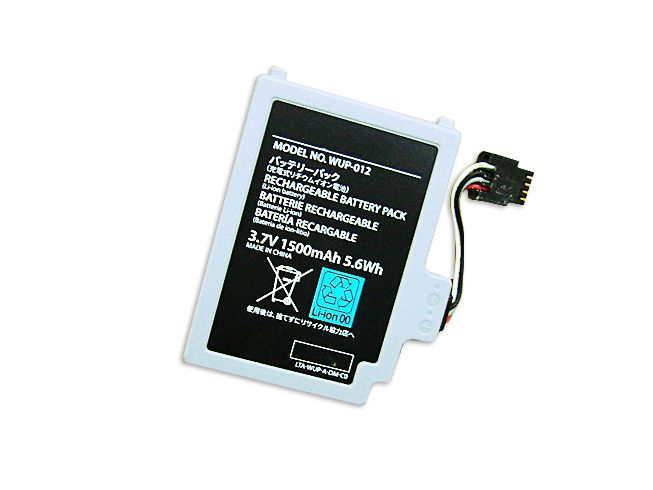
Reemplazo BEYOND Batería para Nintendo WUP-012

Batería para Nintendo WUP-012 is replacement for Nintendo Wii U Gamepad Controller. The WUP-012 batteries equivalent is guaranteed to meet or exceedWUP-012 batteries original specifications. All Nintendo WUP-012 are brand new,1 year Warranty, 100% Guarantee Quality and Fully Test!

http://www.tienda-baterias.es/bateria/nintendo/WUP-012-179169.html


  • Marca:Nintendo
  • modelo:WUP-012
  • Tipo:Li-ion
  • Número de inventario:ECN10262_Oth
  • Dimensión:
  • Color:

Si tiene usted cualquier duda, haga el favor de ponerse en contacto con nosotros,Email:info@tienda-baterias.es


Modelos similares :

WUP-012 WUP012

Modelos compatibles:

Nintendo Wii U Gamepad Controller
Nintendo Wii U Remote Controller

Bateria do laptopa Nintendo WUP-012>> Batería para Nintendo WUP-012>> Batteria Nintendo WUP-012>> Nintendo WUP-012 Akku


Batería para Nintendo WUP-012 tips:

1.Carefulness read narrate book of battery,use commendatory battery.
2.New laptop battery pack must be fully charged before use.
3.New Batería para Nintendo WUP-012 needs to be fully charged and discharged (cycled) a few times before it can condition to full capacity.
4.Rechargeable batteries undergo self-discharging when left unused. Always store a Nintendo WUP-012 battery pack in a fully charged stage for storage.
5.Fully drain and fully recharge your battery pack every few month.
6.Li-ion and NiMH battery can not interchangeable.
7.Turn down the LCD brightness of your portable device.
8.Use built-in power management on your portable device.
9.Turn off LCD or other unnecessary accessories when not in use.
10.Set screen saver blank to 1 to 2 minutes of your Nintendo WUP-012 notebook .
11.It is normal to get warm when charging or normal use. If it is getting too hot, there may be a problem with the device and qualified personnel should check it.
12.Research the electric appliance and the Nintendo WUP-012 Batteries contact elements is whether clean, when necessity is clean with the wet cloth mop, after dry loads according to the correct polar direction.
13.WUP-012 laptop battery of Toshiba should stock in cool place, and dry.


Reemplazo BEYOND Batería para MacBook 821-0812-A

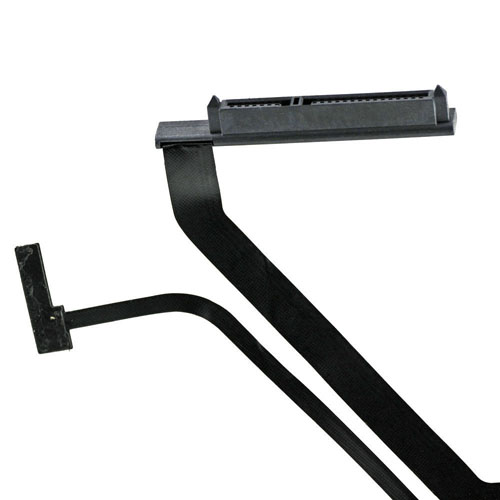
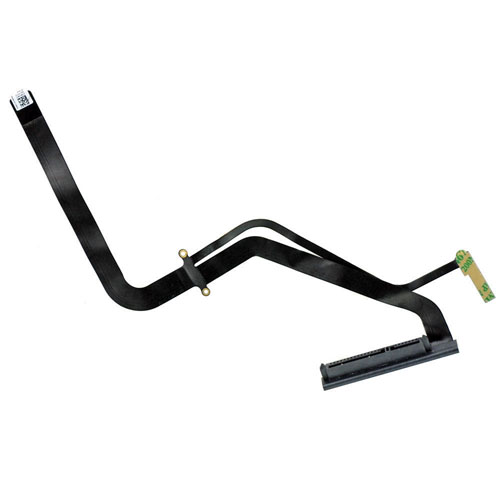
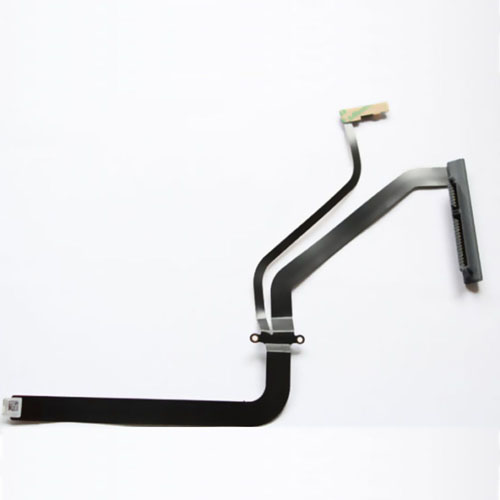
Batería para MacBook 821-0812-A is replacement for Hard Drive Cable for MacBook Pro A1286 15 821-0812-A 821-0989-A 821-1198-A 2009. The 821-0812-A batteries equivalent is guaranteed to meet or exceed 821-0812-A batteries original specifications. All MacBook 821-0812-A are brand new,1 year Warranty, 100% Guarantee Quality and Fully Test!

http://www.tienda-baterias.es/bateria/alcatel/TLI014C7-179143.html


  • Marca:MacBook
  • modelo:821-0812-A
  • Tipo:Cable
  • Número de inventario:ECN10258
  • Dimensión:
  • Color:

Si tiene usted cualquier duda, haga el favor de ponerse en contacto con nosotros,Email:info@tienda-baterias.es


Modelos similares :


Modelos compatibles:

Compatible Apple Part No:
821-0812-A
821-0989-A
821-1198-A

Compatible with:
A1286 Macbook Pro 2009/2010/2011
MC118LL/A, MC026LL/A, MB985LL/A, MB986LL/A,
MC371LL/A, MC372LL/A, MC373LL/A, MC721LL/A
MC723LL/A, MD318LL/A, MD322LL/A

Package Includes:
1 x Hard Drive Cable


Reemplazo BEYOND Batería para Alcatel TLi014C7

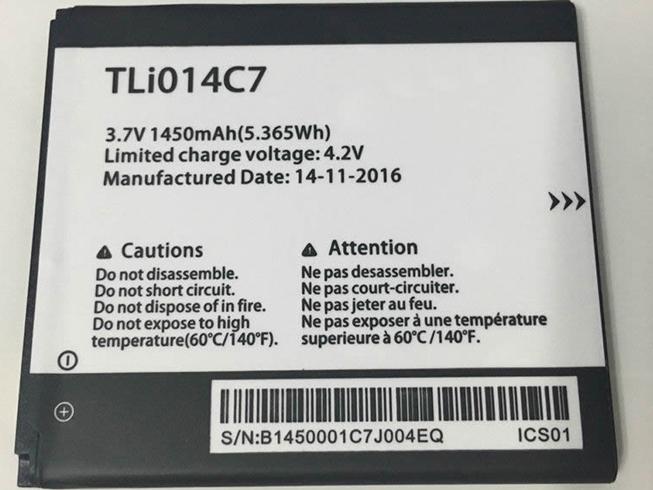
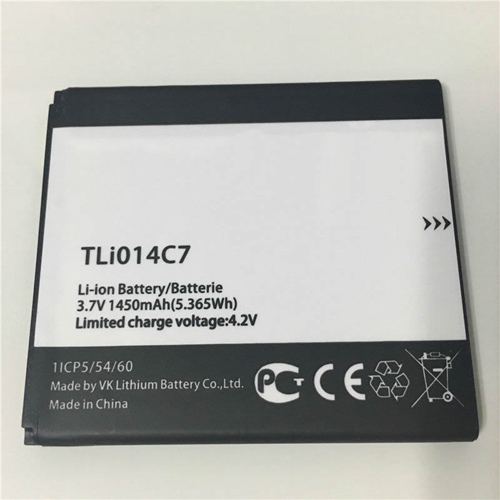
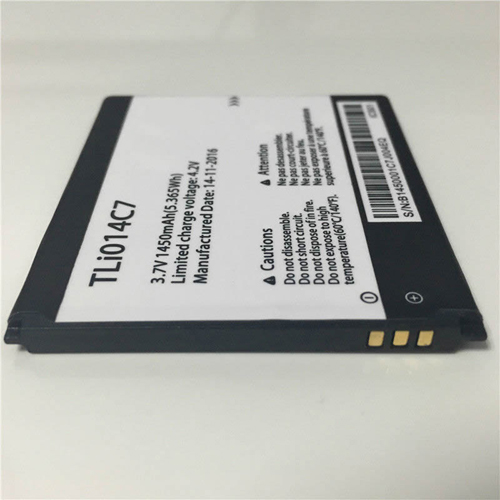
Batería para Alcatel TLi014C7 is replacement for Alcatel One Touch. The TLi014C7 batteries equivalent is guaranteed to meet or exceed TLi014C7 batteriesoriginal specifications. All Alcatel TLi014C7 are brand new,1 year Warranty, 100% Guarantee Quality and Fully Test!

http://www.tienda-baterias.es/bateria/alcatel/TLI014C7-179143.html


  • Marca:Alcatel
  • modelo:TLi014C7
  • Tipo:Li-polymer
  • Número de inventario:ECN10249_Te
  • Dimensión:
  • Color:Black

Si tiene usted cualquier duda, haga el favor de ponerse en contacto con nosotros,Email:info@tienda-baterias.es


Modelos similares :

TLi014C7

Modelos compatibles:

Alcatel One Touch

Bateria do laptopa Alcatel TLi014C7>> Batería para Alcatel TLi014C7>> Batteria Alcatel TLi014C7>> Alcatel TLi014C7 Akku


Batería para Alcatel TLi014C7 tips:

1.Carefulness read narrate book of battery,use commendatory battery.
2.New laptop battery pack must be fully charged before use.
3.New Batería para Alcatel TLi014C7 needs to be fully charged and discharged (cycled) a few times before it can condition to full capacity.
4.Rechargeable batteries undergo self-discharging when left unused. Always store a Alcatel TLi014C7 battery pack in a fully charged stage for storage.
5.Fully drain and fully recharge your battery pack every few month.
6.Li-ion and NiMH battery can not interchangeable.
7.Turn down the LCD brightness of your portable device.
8.Use built-in power management on your portable device.
9.Turn off LCD or other unnecessary accessories when not in use.
10.Set screen saver blank to 1 to 2 minutes of your Alcatel TLi014C7 notebook .
11.It is normal to get warm when charging or normal use. If it is getting too hot, there may be a problem with the device and qualified personnel should check it.
12.Research the electric appliance and the Alcatel TLi014C7 Batteries contact elements is whether clean, when necessity is clean with the wet cloth mop, after dry loads according to the correct polar direction.
13.TLi014C7 laptop battery of Toshiba should stock in cool place, and dry.


What’s the difference between a LCD and LED screen?

When you are comparing displays for a laptopdesktop computer, or even a flat-screen television, you will often see them referred to as either LCD or LED. You may wonder what the differences between the two technologies are, and which one is better for your needs.

Truthfully, the comparison between LCD and LED displays is a bit tricky, as they can be the same thing. In fact, the terms may be somewhat interchangeable for some models. Confused? You should be.

LCD stands for liquid crystal display, which refers to tiny crystals that make up the pixels of an LCD display. The crystals don’t create light themselves, but instead they filter the light to create colors that combine to make the image on the screen. The light for the picture is actually supplied by the backlight located behind the crystals and the inverter board.

Originally, LCD displays used fluorescent lamps as backlights, which provide a fairly bright light but are prone to uneven lighting and generally use a lot of power. In many cases when someone refers to an LCD display, they are referring to a display that uses fluorescent backlighting. These displays are becoming less common.

LED displays are those that use LED (light emitting diodes) lights as a backlight. LEDs use less power than fluorescent bulbs and usually provide a brighter and more even light for the display. However, LED backlights still shine through LCDs to create the color for the display. This is where much of the confusion between the two technologies happens.

In summary; a display that is referred to as LCD could mean one that uses fluorescent OR LED backlighting, though it generally refers to those with fluorescent backlights. LED refers to a display with LED backlighting, but it is worth knowing that LED displays are still technically LCD displays as well.


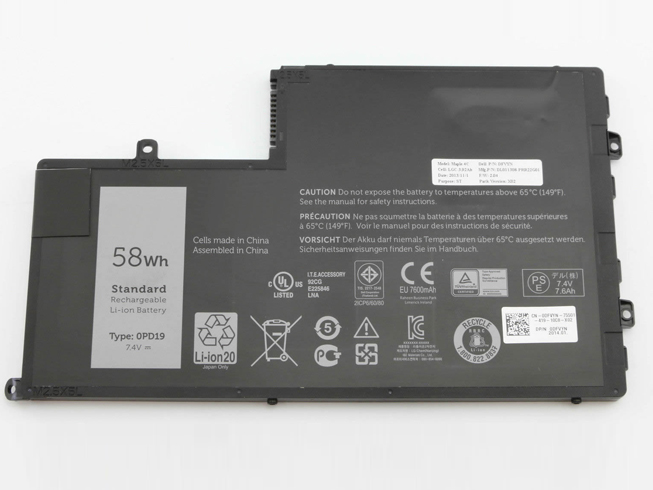
Batería para portátiles Dell 0PD19 7.4V 7600mAh/58Wh

Dell 0PD19,Nuevo Reemplazo Batería compatible para ordenador portátil Dell Inspiron 15 5445 5448 7.4V 7600mAh/58Wh,100% nueva! Batería Dell 0PD19 1V2F6 . ¡No te preocupes! tienda-baterias.es – donde encontrará baterías para ordenadores portatiles de los principales fabricantes del mercado como Apple, Acer, Asus, Dell, HP, Compaq, Samsung, Sony vaio, Toshiba, etc..
http://www.tienda-baterias.es/bateria/dell/0PD19-178556.html


Dell 0PD19add

Fabricante : Dell
Tipo: Li-ion
Voltaje: 7.4V
Capacidad: 7600mAh/58Wh

Compatible con:
0PD19

Números de serie compatibles:
Dell Inspiron 15 5445 5448

it: batteria portatile 0PD19
es: Baterías para ordenadores portátiles 0PD19
pl: Bateria do laptopów 0PD19